
Set up your booking page, your rules and your pet owner messages yourself, in plain English. Running more than one site? Switch between clinics from a single login.
Multi-location groups manage every clinic's branding, rules and templates from a single dashboard, built for groups from day one.
No code and no waiting on us. Change a setting and your booking page, messages and app update straight away.
Logo, colours and your own web address on every page pet owners see.
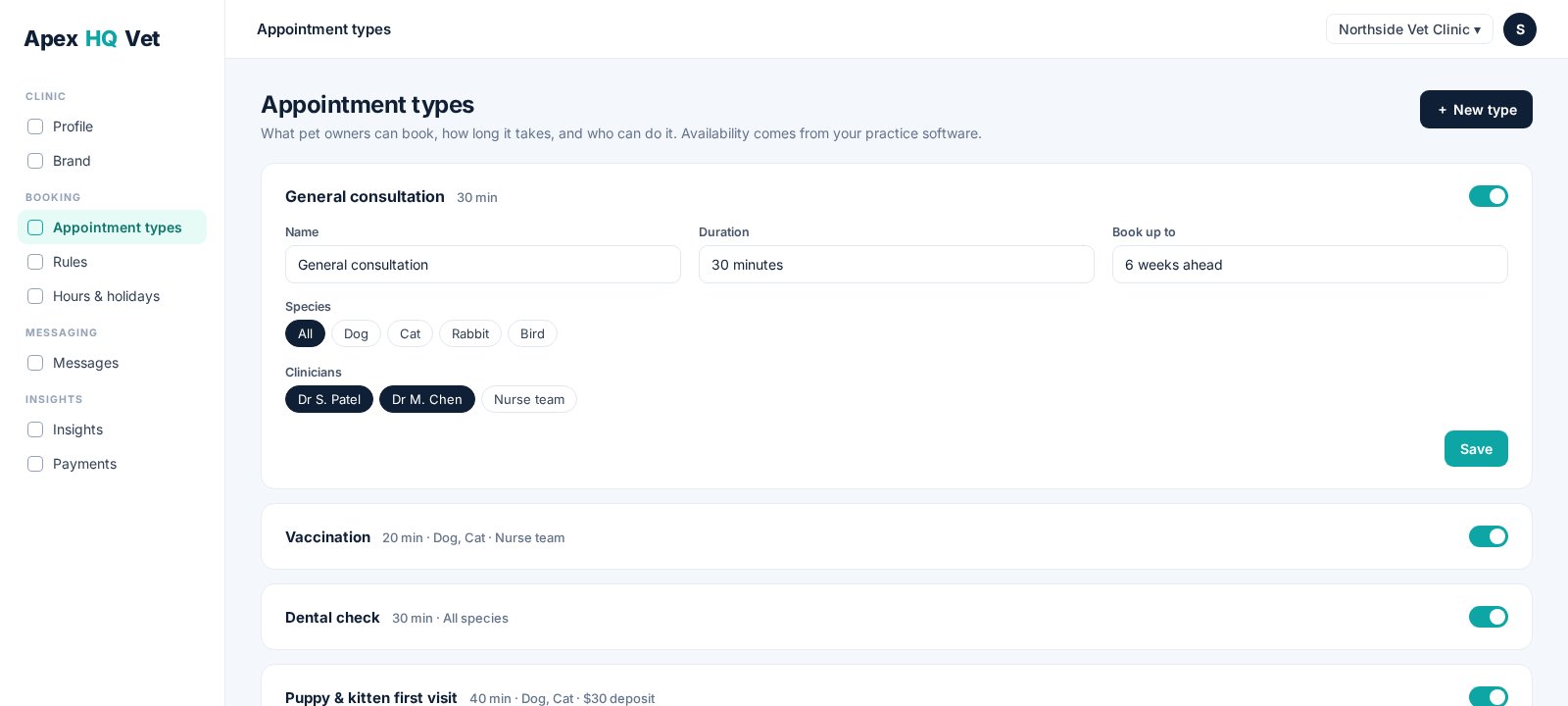
Appointment types, durations, who can do what, and how far ahead pet owners can book, all synced to your practice software.
Which pet details to ask for, screening for emergencies and special prep, deposits and cancellation notice.
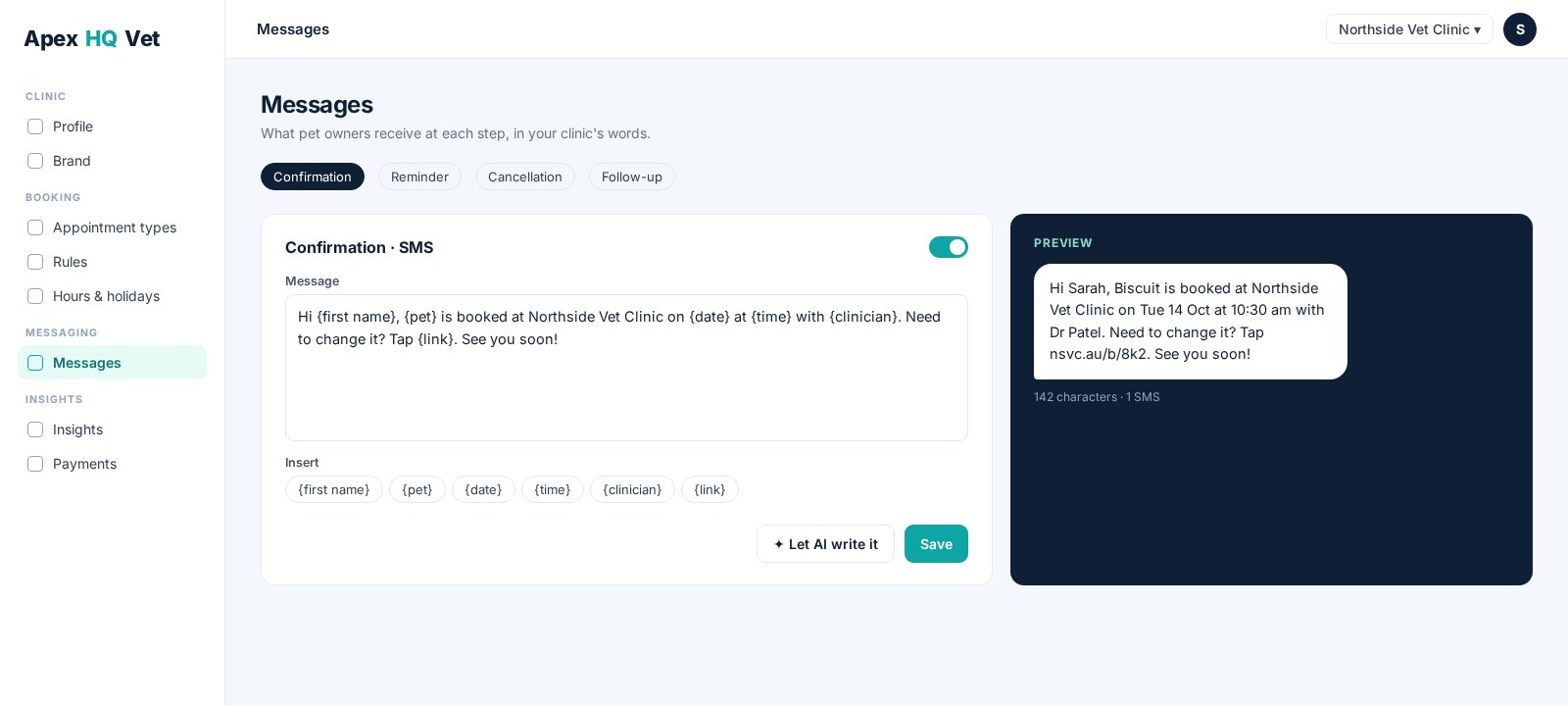
Confirmations, reminders and cancellations in your own words, by email and SMS. Or let the AI draft them for you.
Decide how the assistant speaks to pet owners and what it must never say.
Her name, voice and pace. The prices she may quote, the answers a vet has approved, and every call with its transcript and recording.
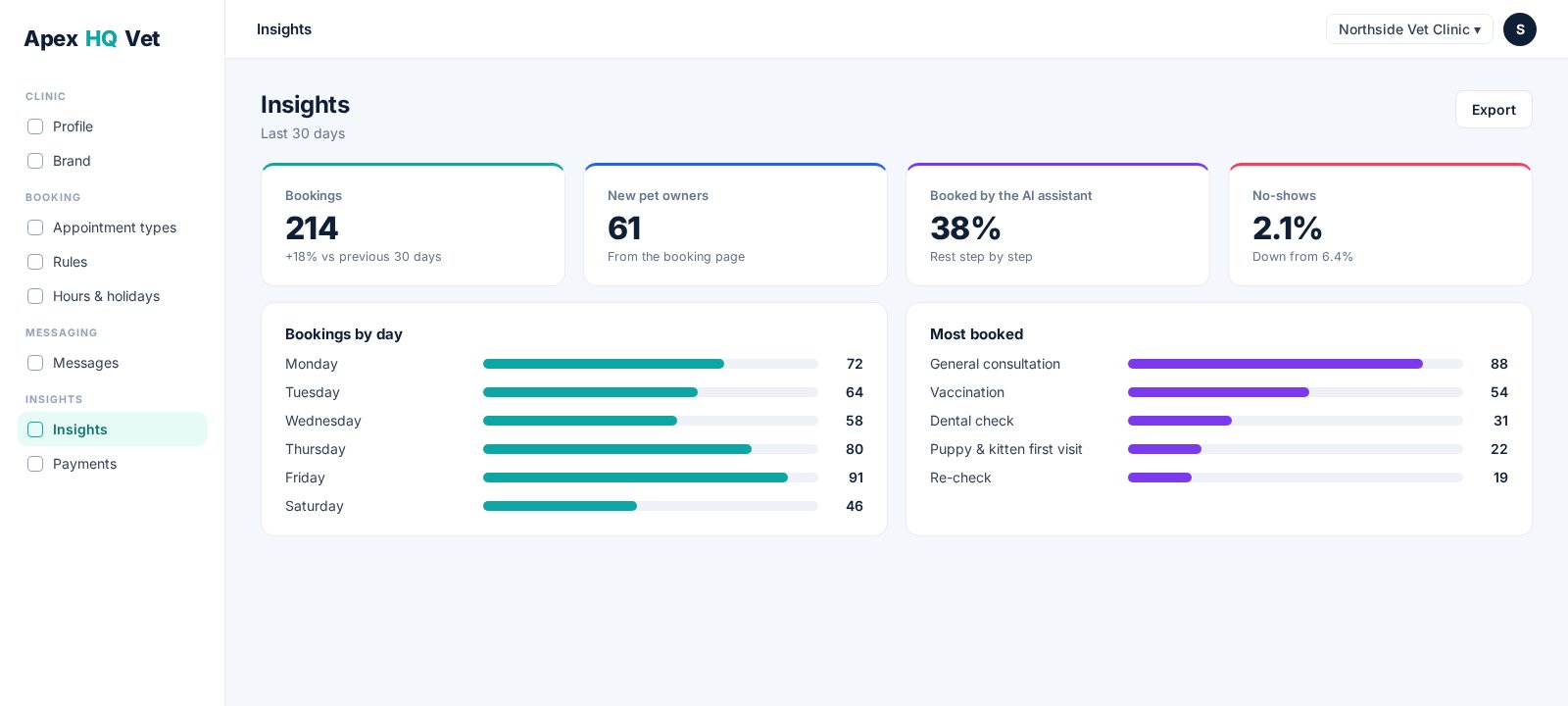
Bookings, new pet owners, cancellations and busiest appointment types, at a glance.
Name it, set the duration, choose who can do it and which species it is for. Availability comes straight from your practice software.
Write confirmations and reminders in your clinic's voice, see exactly what the pet owner gets, or let the AI draft it.
Bookings, new pet owners, how many the AI took for you and where no-shows are heading, on one screen.
A 20-minute walkthrough on your clinic's own data.
Reward pet owners for turning up and keeping their pets on plan. You set the rewards and the statuses.
Pet owner replies land in one inbox, so nothing gets lost between the phone, email and the app.
Every pet owner, their pets and their bookings in one view.
See the back office end-to-end in a 20-minute demo. No obligation.